
If your form is public, sooner or later a bot is going to find it. One day your sheet is full of real messages, and the next it has forty rows of random letters and links to sites you'd never visit.
We've had spam filtering for a while, and it's good at some things. Stopping bots isn't really one of them. So we spent some time on this, and today there are a few new tools to keep your sheet clean.
A captcha that doesn't need a Google account
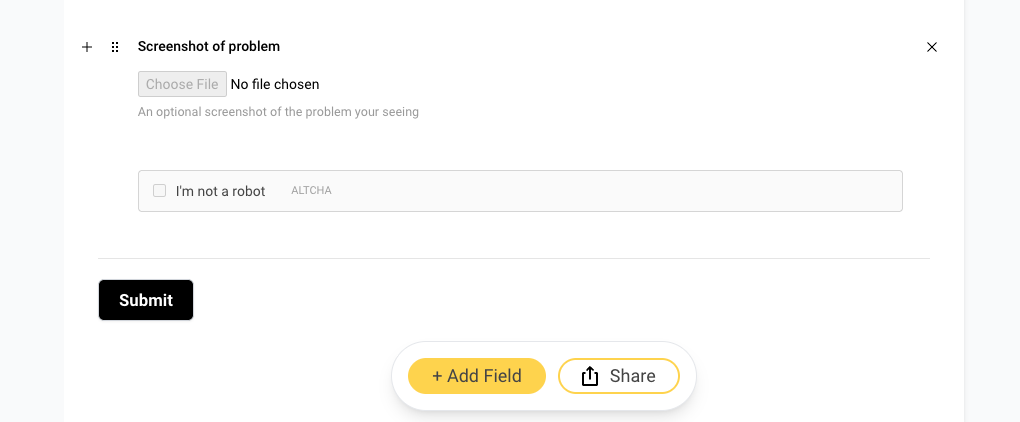
The big one is Bot Protection. It adds a small "I'm not a robot" check to your form.
You've probably used reCAPTCHA before, and you may remember the setup: create a Google account, register your site, copy two keys, paste them in the right places. We didn't want you to go through any of that, so we went with ALTCHA instead.
Here's how it works. When someone starts filling out your form, their browser does a quick bit of math in the background. For a person, that takes a second or two and they don't really notice. The checkbox just ticks itself. For a bot trying to send thousands of submissions, the math adds up fast, and that's the point. No puzzles, no "click every traffic light," and nothing about your visitors gets sent to Google or anyone else.
If a submission shows up without a passing check, Sheet Monkey turns it away before it ever reaches your sheet.
To turn it on, you've got two options.
In the form builder, click + Add Field and pick Captcha from the Evolved fields. Drag it wherever you want it. Most people put it right above the submit button.
Or open your form's Settings page and flip on Bot Protection.
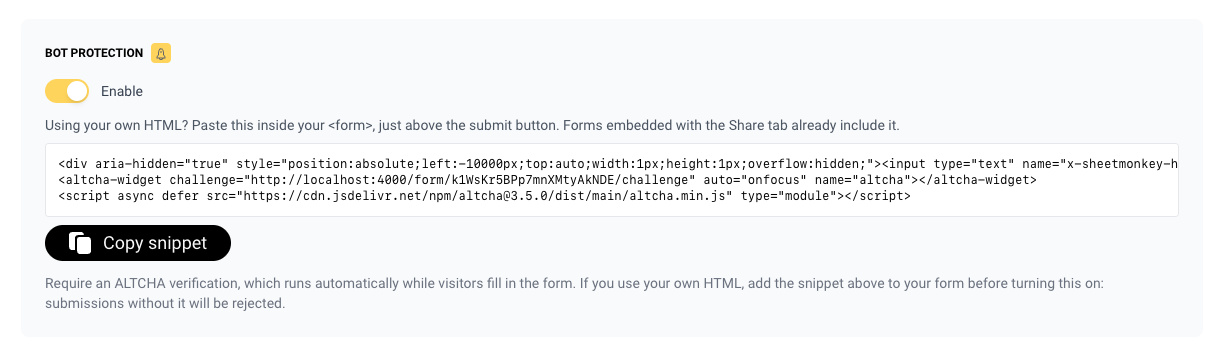
If you use our share link or the iframe embed, that's it. You're done.
If you wrote your own HTML form, there's one extra step. The Settings page has a short snippet with your form's ID already filled in. Paste it inside your form, publish your site, and then turn Bot Protection on. If you do it the other way around, your form will start rejecting submissions until the snippet is there.
Bot Protection is part of the paid plans.
A honeypot on every form
This one you don't have to do anything for. Every form you embed from Sheet Monkey now includes a hidden field that people never see. A lot of bots fill in every field they can find, so when that hidden field comes back with something in it, we know it wasn't a person.
We don't show the bot an error. We just say "thanks!" and quietly throw the submission away. That way it has no reason to try anything smarter.
This is on for everyone, including free plans. If you copied your embed code a while ago, grab a fresh copy from the Share tab to get it.
Pause a form instead of deleting it
Sometimes you just want a form to stop for a bit. Maybe the event is full, the sale is over, or someone is hammering it and you need a minute to figure things out.
Now there's a Pause Form switch at the bottom of your form's Settings page. While a form is paused, new submissions are turned away and nothing gets added to your sheet. Your share link shows a short "not accepting submissions right now" message instead of the form. You'll see a little Paused badge next to the form in your dashboard so you don't forget about it.
Turn the switch off whenever you're ready and the form picks up right where it left off. Nothing is deleted, and your embed code keeps working.
What about the old spam filter?
It's still there. Spam Protection checks what people actually write using Akismet, so it's good at catching the stuff a captcha can't, like a real person pasting in an ad for cheap sunglasses.
A simple way to think about it:
- Getting junk that looks like random gibberish? That's a bot. Turn on Bot Protection.
- Getting messages that look real but are really ads? Turn on Spam Protection.
- Getting both? Turn on both. They work fine together.
If you want the step-by-step version, it's all in the spam protection guide. And if anything doesn't work the way you expect, send us a note through the support form in the dashboard.