Github Pages
 Tailwind
 Carrd
Carrd HTML
HTML Javascript
 React
React Squarespace
 Vue
Vue Webflow
 WordPress
The Tailwind Form Builder is a free, visual drag-and-drop tool that lets you create beautiful Tailwind CSS forms without writing code. Combined with Sheet Monkey, you can build professional forms and send submissions directly to Google Sheets in minutes.
Here's why this combination works so well:
- No Code Required: Build forms visually and export clean HTML, React, or Vue code ready for production.
- Beautiful by Default: Choose from multiple themes (Default, Simple, Underline, Solid) with built-in dark mode support.
- Instant Integration: Just paste your Sheet Monkey form action URL and you're ready to collect submissions.
The Tailwind Form Builder supports 14+ field types including text, email, phone, date, file uploads, and even compound fields like name and address. Once you've designed your perfect form, connecting it to Google Sheets takes just two steps.
1. Build your form

Use the Tailwind Form Builder to design your form. Drag and drop fields, customize labels, add validation rules, and choose your theme. When you're happy with the design, click "Export" to get your code.
2. Add your Sheet Monkey URL
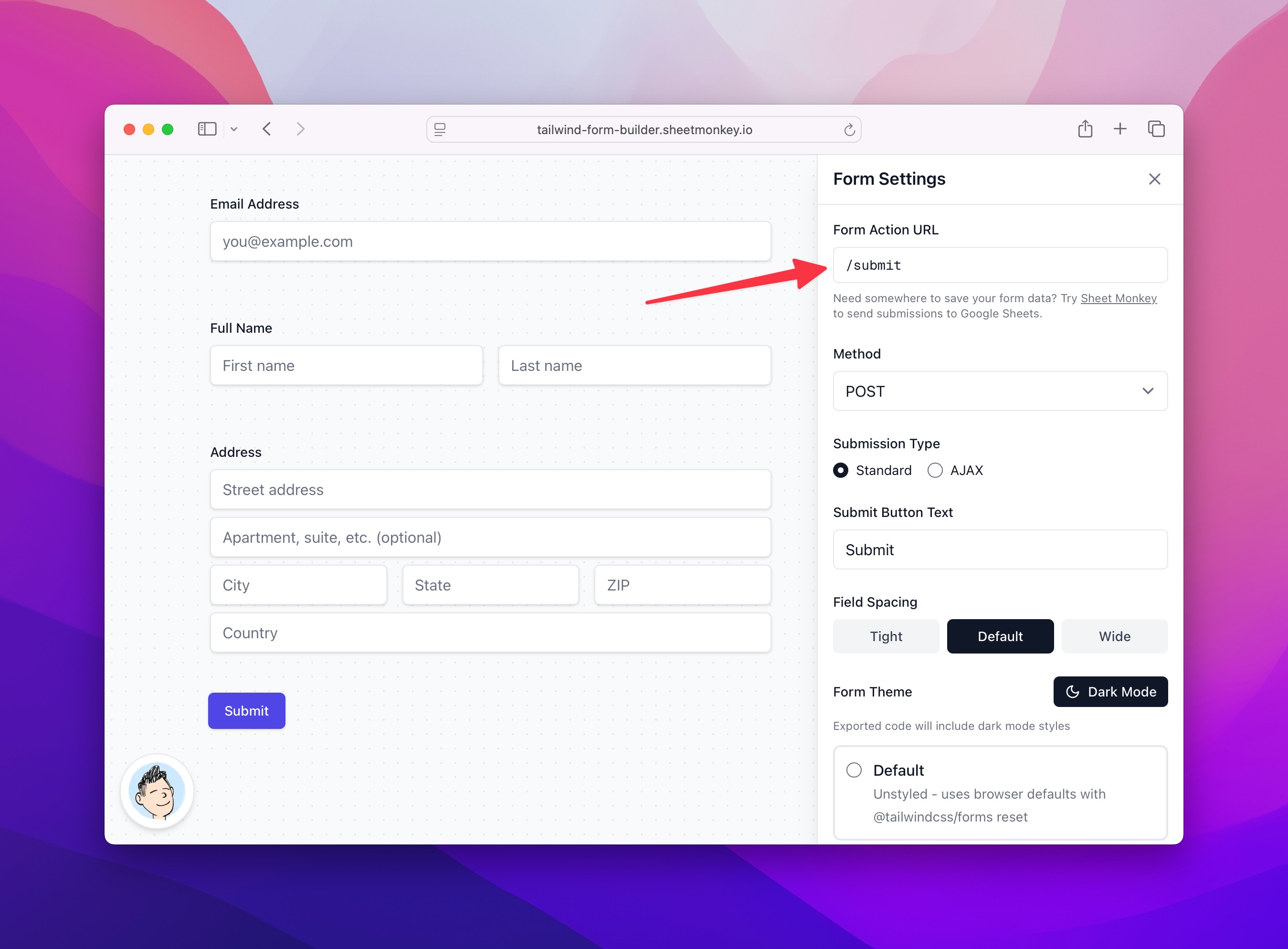
In the Form Settings panel, paste your Sheet Monkey form action URL into the "Form Action" field. Export your form code and add it to your website.
3. There is no third step

You're all set. Every form submission will now appear in your Google Sheet automatically.
Want more options? Browse our form template library for additional pre-built forms, including a ready-to-use contact form template.