
Today we're excited to announce Tailwind Form Builder—a free, visual tool for creating Tailwind CSS forms without writing code.

What is Tailwind Form Builder?
Tailwind Form Builder is a drag-and-drop form designer that outputs clean, production-ready code. You can build a form in minutes and export it as HTML, React, or Vue—ready to drop into your project.
Here's what you get:
- 14+ field types including text, email, phone, date, file uploads, and compound fields like name and address
- 4 styling themes (Default, Simple, Underline, Solid) so your forms match your design
- Built-in dark mode with live preview
- Validation rules like required fields, character limits, and regex patterns
- Pre-built templates for common forms like contact, mailing list, and surveys
No account required. No data stored. Just build your form and grab the code.
Why we built it
At Sheet Monkey, we help people connect their forms to Google Sheets. We've seen thousands of forms come through our platform, and one thing became clear: building forms is still more tedious than it should be.
Even with Tailwind CSS making styling easier, you still have to:
- Write the HTML structure from scratch
- Remember the right utility classes for inputs, labels, and spacing
- Handle validation attributes correctly
- Repeat all of this every time you need a new form
We wanted a faster way—something we'd actually use ourselves.
So we built Tailwind Form Builder as a tool that does the boring parts for you. Design your form visually, tweak the settings, and copy the code. That's it.
How it works with Sheet Monkey
Once you've built your form, connecting it to Google Sheets takes about 10 seconds:
- Create a form endpoint in Sheet Monkey
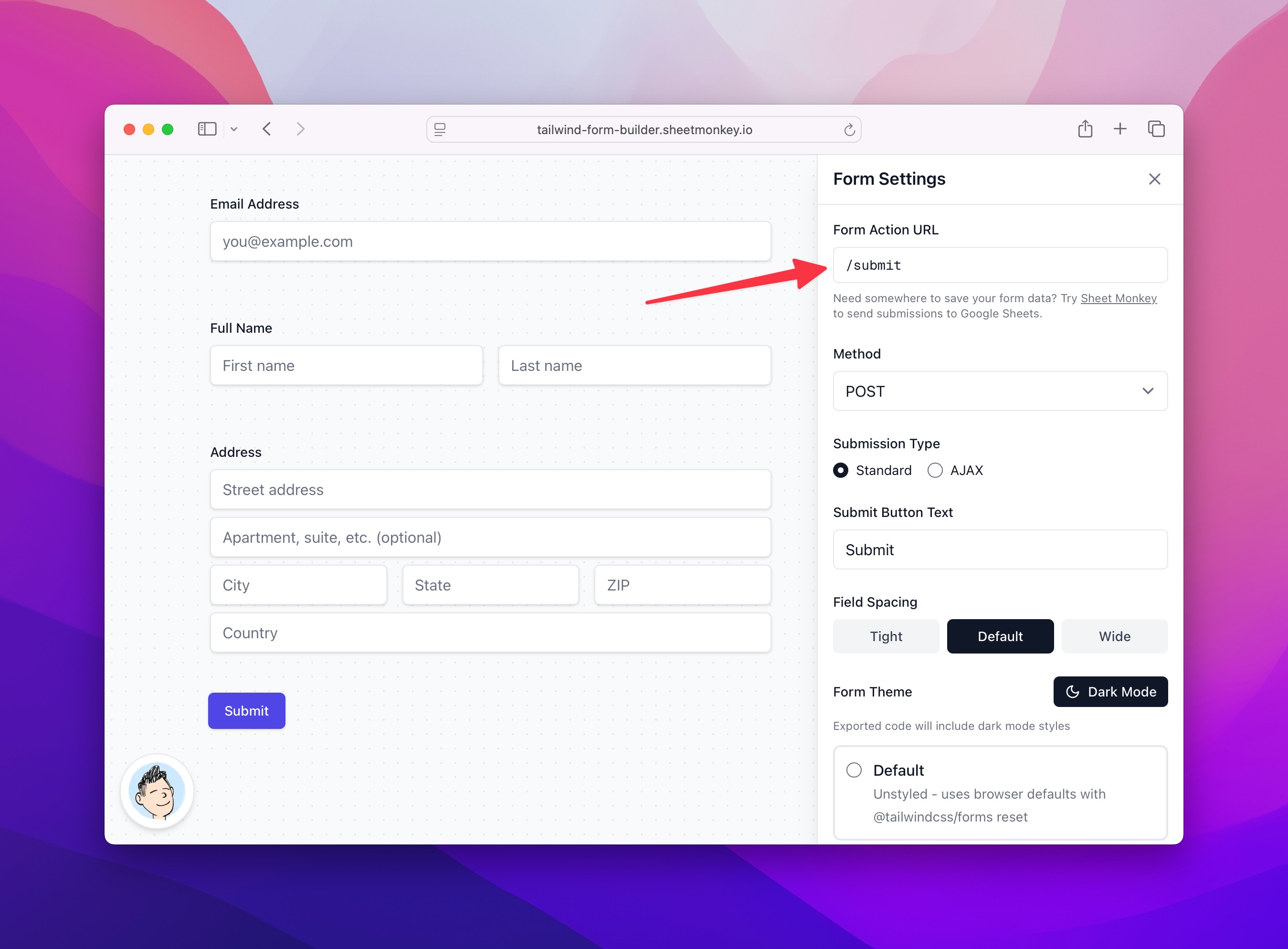
- Paste the URL into Tailwind Form Builder's "Form Action" field
- Export and deploy
Every submission flows directly to your spreadsheet. No server code, no database, no maintenance.
It's free
Tailwind Form Builder is completely free to use. We built it because we needed it, and we figured others would too.
Give it a try at https://tailwind-form-builder.sheetmonkey.io/ and let us know what you think.
Cheers!