If your form is on a public website, bots will find it eventually. Sheet Monkey gives you a few ways to keep them, and the spam they bring, out of your sheet. Use one or use them all.
Bot Protection: a captcha without the setup
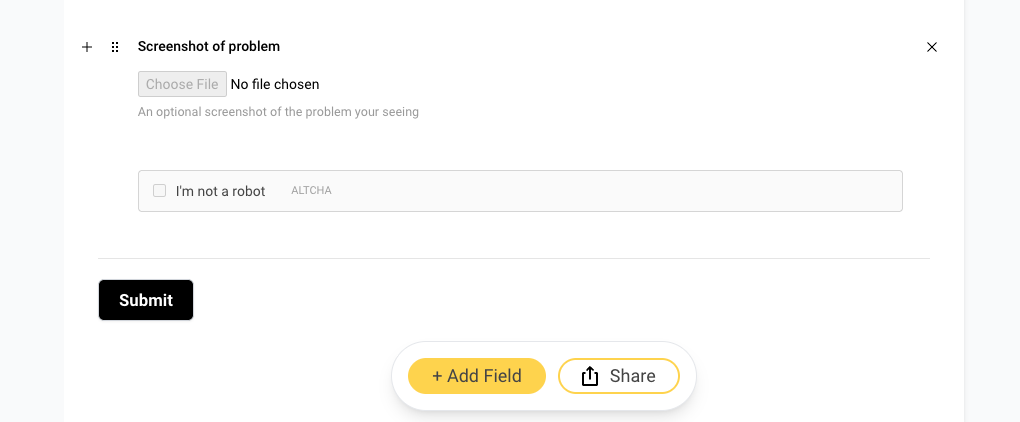
Bot Protection adds a small "I'm not a robot" check to your form, powered by ALTCHA. You don't need a Google account or any site keys. When a visitor starts filling out your form, their browser quietly solves a small puzzle in the background, and the checkbox ticks itself. People barely notice. Bots trying to send thousands of submissions can't keep up.
Submissions without a passing check are turned away before they ever reach your sheet, and nothing about your visitors is sent to Google or anyone else.
Add it in the form builder. Click + Add Field and choose Captcha from the Evolved fields. Drag it wherever you want it to appear.
Or turn it on in your form settings. In the Sheet Monkey dashboard, open your form's Settings page and switch on Bot Protection.
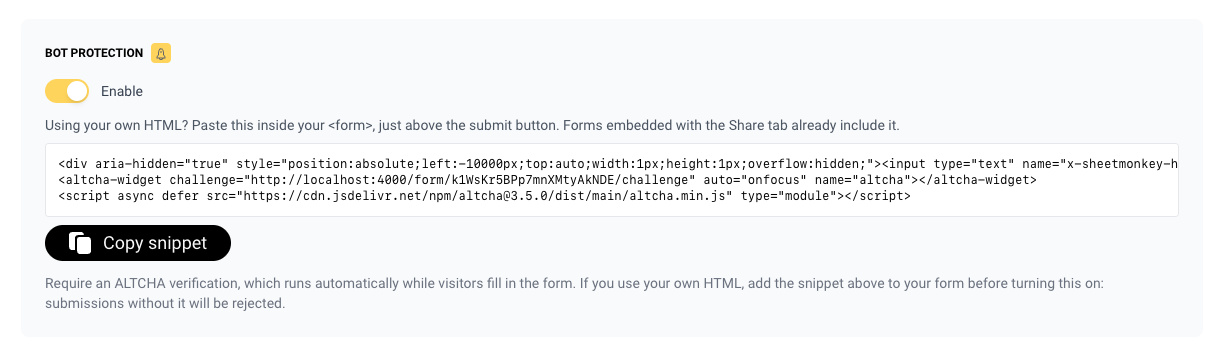
If you use the share link or the iframe embed, that's all you need to do.
Using your own HTML form
If you wrote your own form, copy the snippet from the Bot Protection setting and paste it inside your
<form>, just above the submit button. It includes the hidden honeypot field (more on that below) plus the
captcha itself, which looks like this with your form's ID filled in:
<altcha-widget
    challenge="https://api.sheetmonkey.io/form/YOUR_FORM_ID/challenge"
    auto="onfocus"
    name="altcha"
></altcha-widget>
<script async defer src="https://cdn.jsdelivr.net/npm/altcha@3.5.0/dist/main/altcha.min.js" type="module"></script>
Publish your site with the snippet first, then switch on Bot Protection. Once it's on, submissions without the check are rejected.
A honeypot on every form
Every form you embed from Sheet Monkey includes a hidden field that people never see. Many bots fill in every field they find, so when that field comes back filled in, we quietly discard the submission. The bot gets a normal "thanks" page and never finds out. This works on every plan, including free, and you don't have to set anything up.
Spam Protection: filtering by content
Some spam is typed in by real people, like an ad pasted into your message field. A captcha can't catch that. Spam Protection checks what's actually written in each submission using Akismet, and filters out the junk. Switch it on from your form's Settings page.
Bot Protection and Spam Protection work well together, and a submission has to pass both to reach your sheet.
Only accept submissions from your site
Use the Domains setting to list the websites your form lives on. Submissions coming from anywhere else are refused.
Under attack? Pause the form
If something gets past your defenses, switch on Pause Form at the bottom of the form's Settings page. New submissions are turned away until you switch it off, and nothing gets deleted.
Bot Protection and Spam Protection are included in the paid plans.